
Exchange-exit checklist: export, snapshot and reconcile for Bitget's Japan exit
A practical, step-by-step checklist to export trade history, snapshot open positions and reconcile balances after Bitget's Japan exit — plus how to store verifiable evidence in Trade Strategy's strategy records and Historical results journal.
## Introduction
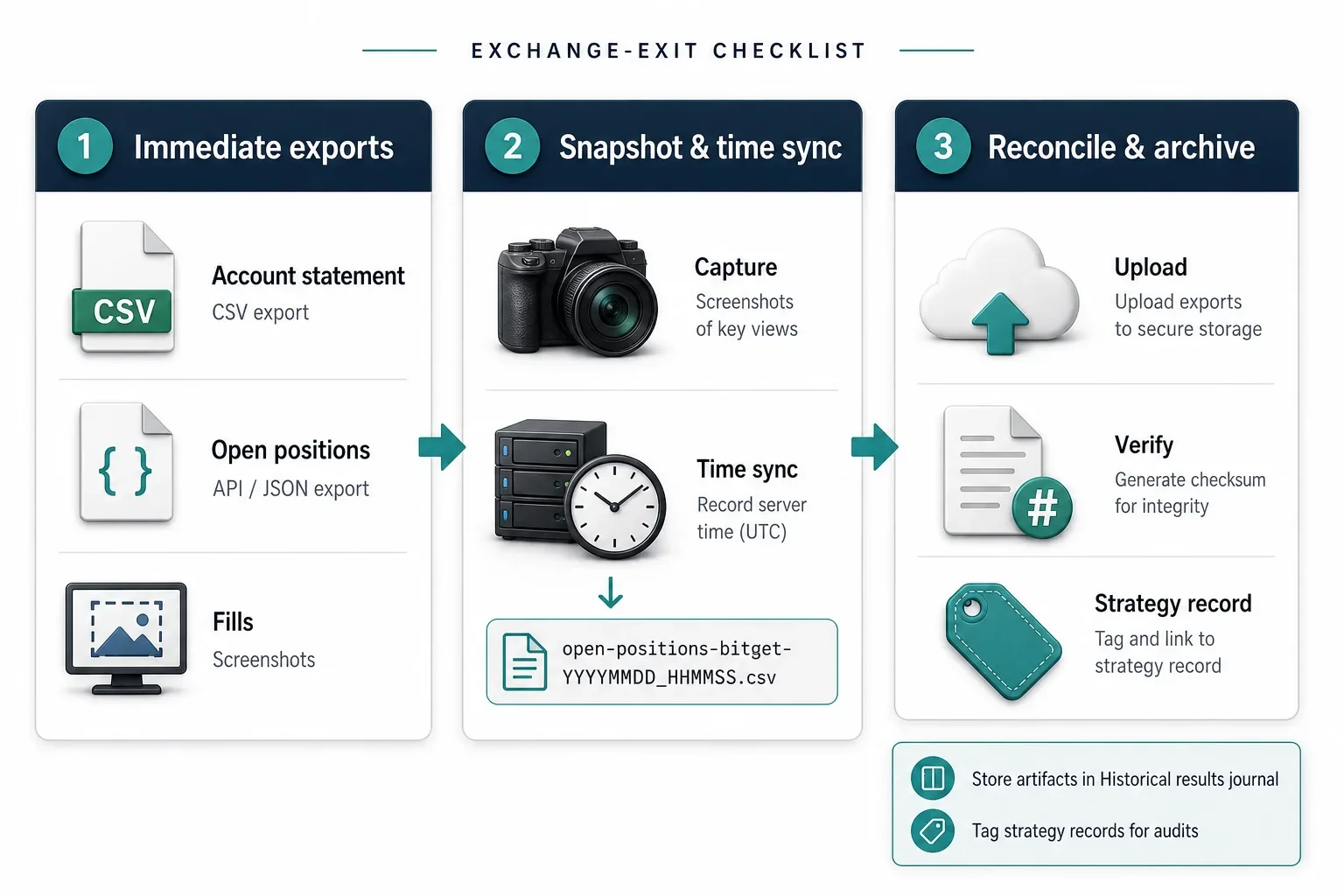
Bitget's announced exit from Japan creates immediate operational risks for traders, ops teams and strategy developers who hold positions or run strategies on the venue. Forced position closures, truncated history or withdrawal windows can complicate audits, P&L reconciliation and compliance reporting. This checklist gives a practical, step‑by‑step set of exports, snapshots and reconciliation actions to take now — and explains how to store the evidence in Trade Strategy so your strategy records remain auditable after an exchange exit.
## Immediate high-priority items (do these first)
1. Account statement (full range)
- Download the longest-available account statement (CSV or PDF). Prefer formats that include timestamps, fees, deposits and withdrawals.
2. Open positions snapshot
- Export or screenshot every position line with a visible server timestamp: instrument, size, side, entry price, mark/mark price, unrealized P&L and margin used.
3. Margin and collateral snapshot
- Record total margin, collateral composition and whether margin is cross or isolated at the same timestamp as the position snapshot.
4. Open orders and fills
- Export the open orders list and the fills/trade history including order IDs and trade IDs, side, executed size, filled price, fee and execution timestamp.
5. Transfer and withdrawal history
- Save deposit/withdrawal receipts, chain txids and any off-exchange transfer receipts tied to the account.
6. Exchange communications and authorizations
- Archive emails, in‑platform notices, KYC/withdrawal confirmations and any messages that reference withdrawal windows or forced‑close instructions.
Do these in parallel where possible: exports, screenshots and API pulls (if you have API access). Time matters — capture server timestamps on each artifact.
## Exact fields to preserve (clipboard checklist)
Suggested filenames and minimum fields to keep with every export or snapshot. Use consistent filenames that include the exchange name and timestamp (YYYYMMDD_HHMMSS).
- account-statement-bitget-YYYYMMDD.csv
- account_id, server_timestamp, starting_balance, ending_balance, total_fees, realized_pl
- Why: primary audit record for balance continuity
- open-positions-bitget-YYYYMMDD.csv
- position_id, instrument, size, side, entry_price, mark_price, unrealized_pl, margin_mode
- Why: shows exposure and potential forced-close risk
- fills-bitget-YYYYMMDD.csv
- trade_id, order_id, instrument, side, size, price, fee, timestamp
- Why: core for P&L reconciliation and slippage analysis
- open-orders-bitget-YYYYMMDD.csv
- order_id, instrument, side, size, price, status, created_at
- Why: verifies orders and lifecycle state at event time
- transfers-bitget-YYYYMMDD.csv
- txid, asset, amount, direction, timestamp, status, destination
- Why: proof of asset movement on-chain or internal
If a given export lacks a field, note that explicitly in your journal entry and capture an explanatory screenshot showing the missing column.
## Operational snapshots: practical tips
- Time-sync everything: include the exchange server time shown in the UI or the API response in filenames and entries. Example filename: open-positions-bitget-20260731_134500.csv
- Screenshots: capture sequential screenshots of the positions, balances and orders pages (desktop and mobile if possible). Name files with timestamps and unique IDs.
- API exports: when available, request history via API (raw JSON) and save it alongside CSVs. Raw responses can contain fields not exposed in UI exports.
- Hash and checksum: consider computing and storing a checksum (SHA256) for large CSVs or JSON files so you can demonstrate file integrity later.
## Reconciliation checklist (step-by-step)
1. Map trades to fills
- Match each trade_id to its fills. For closed trades, confirm that sum(size * price) - fees = recorded proceeds or realized P&L where applicable.
2. Balance continuity
- Start from a verified opening balance, then apply deposits, withdrawals and realized P&L in chronological order. The final balance should match the account statement.
3. Open positions vs margin
- Reconcile each open position to the margin snapshot by comparing margin_used and margin_mode (cross/isolated). Note any positions that would cause margin shortfalls under forced-close scenarios.
4. Order lifecycle
- For partially filled or canceled orders, retain both the order record and corresponding fills to demonstrate lifecycle and timing.
5. Reconstruct gaps
- If trade history is truncated, bring in local execution logs, wallet histories or matching on-chain transfer records and document your assumptions.
Example mapping (hypothetical):
- Fills file shows trade_id 12345 linked to order_id A1: size 0.5 BTC at 45,000, fee 0.0005 BTC.
- Account statement shows a realized P&L entry on 2026-07-31 that corresponds to proceeds from trade_id 12345. Recording this link demonstrates the closed‑trade accounting.
Avoid claiming exact numeric certainty when a gap remains — document assumptions and remaining unknowns in your reconciliation notes.
## Recording evidence in Trade Strategy
Use Trade Strategy to create an auditable record of your work, relying on released features for documentation and comparison:
- Strategy management: update or create strategy records and tag them with the exchange name and event (for example, “Bitget — Japan exit”). Record any strategy rules or assumptions that depended on Bitget liquidity or instruments.
- Historical results journal: upload CSV exports, raw JSON, screenshots and your reconciliation notes so all artifacts are stored with the related strategy.
- Strategy comparison: after you store results, use Strategy comparison to measure how excluding or re-anchoring Bitget data affects reported performance across your strategies; keep the comparison outputs and notes as part of the journal.
Note: Trade Strategy helps you document and compare historical results. It does not execute trades or provide personalized financial advice.
## Practical scenarios
Scenario A — Forced closure
- Action: immediately export open positions, open orders and the account statement that includes post‑closure balances. Take sequential screenshots and save timestamps. Upload everything to the Historical results journal and tag the strategy with the event time.
Scenario B — Truncated trade history
- Action: gather local fills (execution logs, OMS records), on‑chain transfer receipts and exchange transfer records. Store both sources and a reconciliation narrative explaining how you bridged missing entries.
## When to involve legal or compliance
Escalate to legal/compliance if withdrawals are blocked, if client funds are affected, or if exchange communications raise regulatory concerns. Provide: exports, screenshots, KYC/withdrawal communications and the reconciliation notes from the Historical results journal to support any investigation.
## Conclusion
Prioritize exports and snapshots now — server timestamps and complete CSVs are the best defense against later ambiguity. Capture raw data, screenshots and a clear reconciliation trail, and store them with strategy records in Trade Strategy so your team can reconstruct positions, flows and P&L after the Bitget Japan exit. Taking these steps reduces operational risk and preserves an auditable record for audits or client inquiries.
## Resources
- News coverage: Bitget set to exit Japan, close all remaining positions by year‑end — (Coindesk)
- Related guidance: migration and exchange‑exit checklists — see our blog for operational playbooks: https://trade-strategy.com/blog
Try Trade Strategy free: https://trade-strategy.com
 2026-08-01
What the Hyperliquid SK Hynix Flash Crash Teaches Derivatives Traders
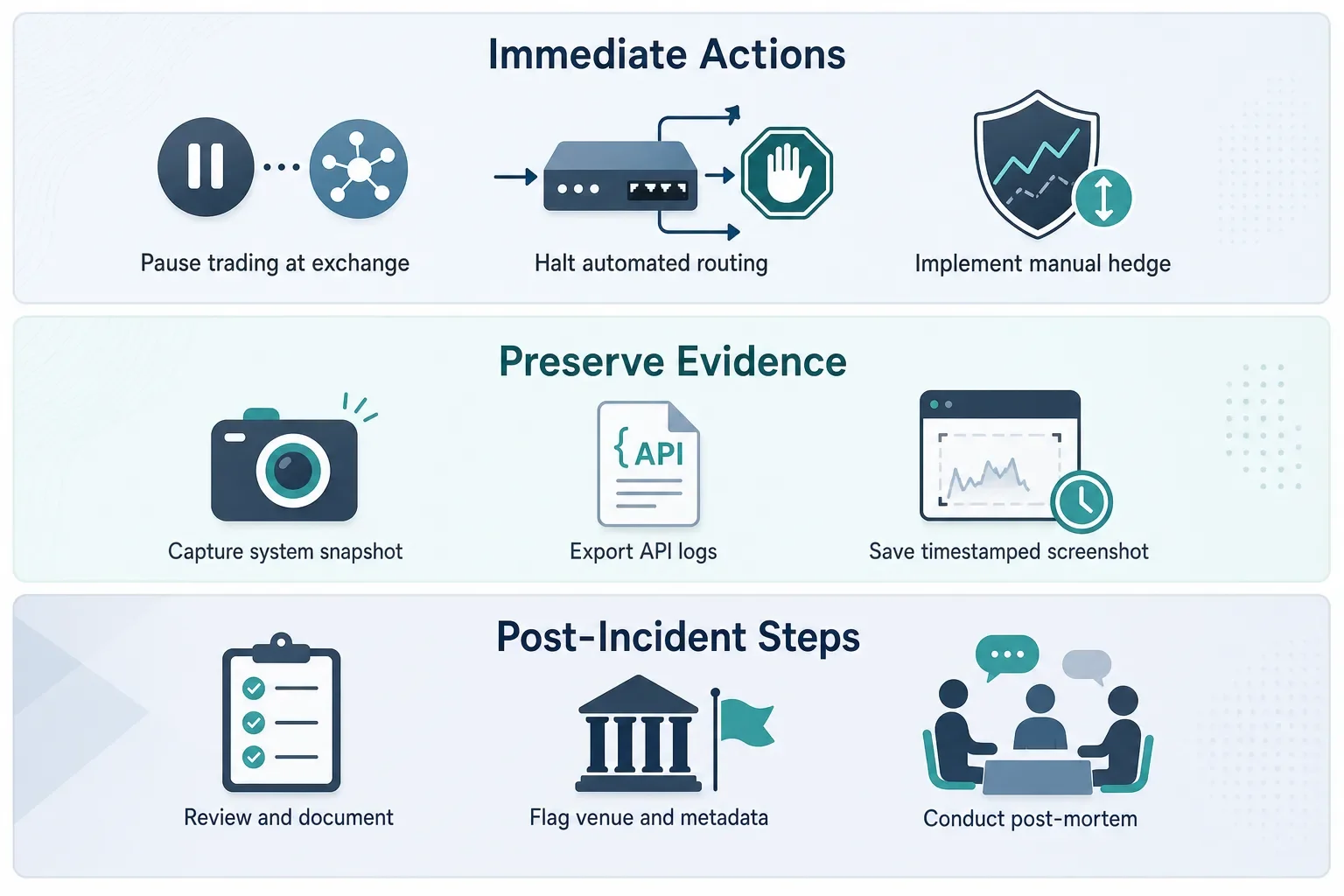
A single exchange microstructure failure can turn a well‑designed strategy into a surprising loss. Learn probable causes of the Hyperliquid SK Hynix flash crash, immediate risk steps, and how to document the event for better resilience.
 2026-08-11
How to run an event-driven post‑mortem for your BTC strategy (step‑by‑step)
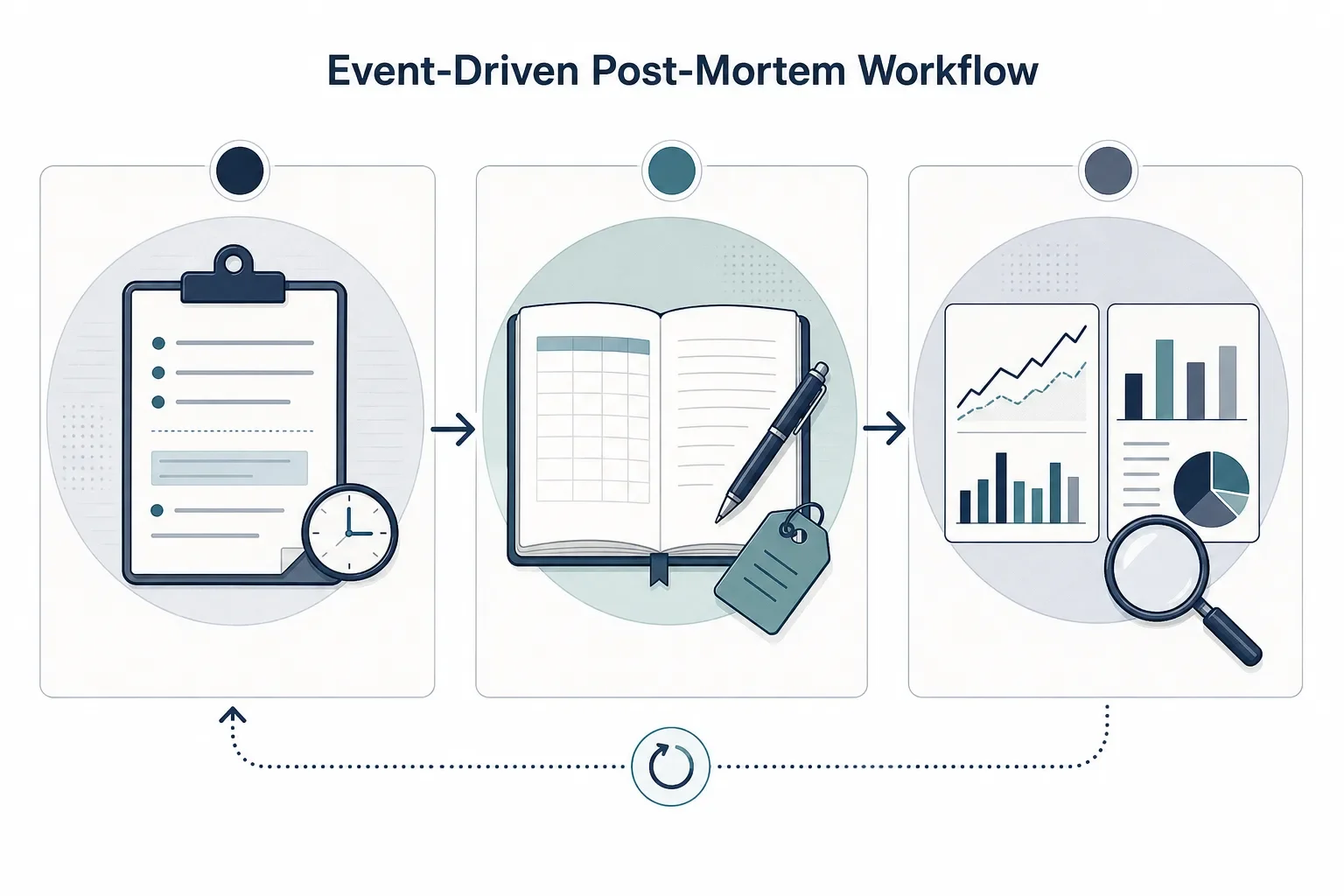
A step‑by‑step workflow for BTC event‑driven post‑mortems: record rules, log trades, compare pre/event/post windows using Trade Strategy to identify rule breakpoints and create testable updates.
 2026-08-11
How to Audit and Tag DeFi Strategies for Regulatory Exposure
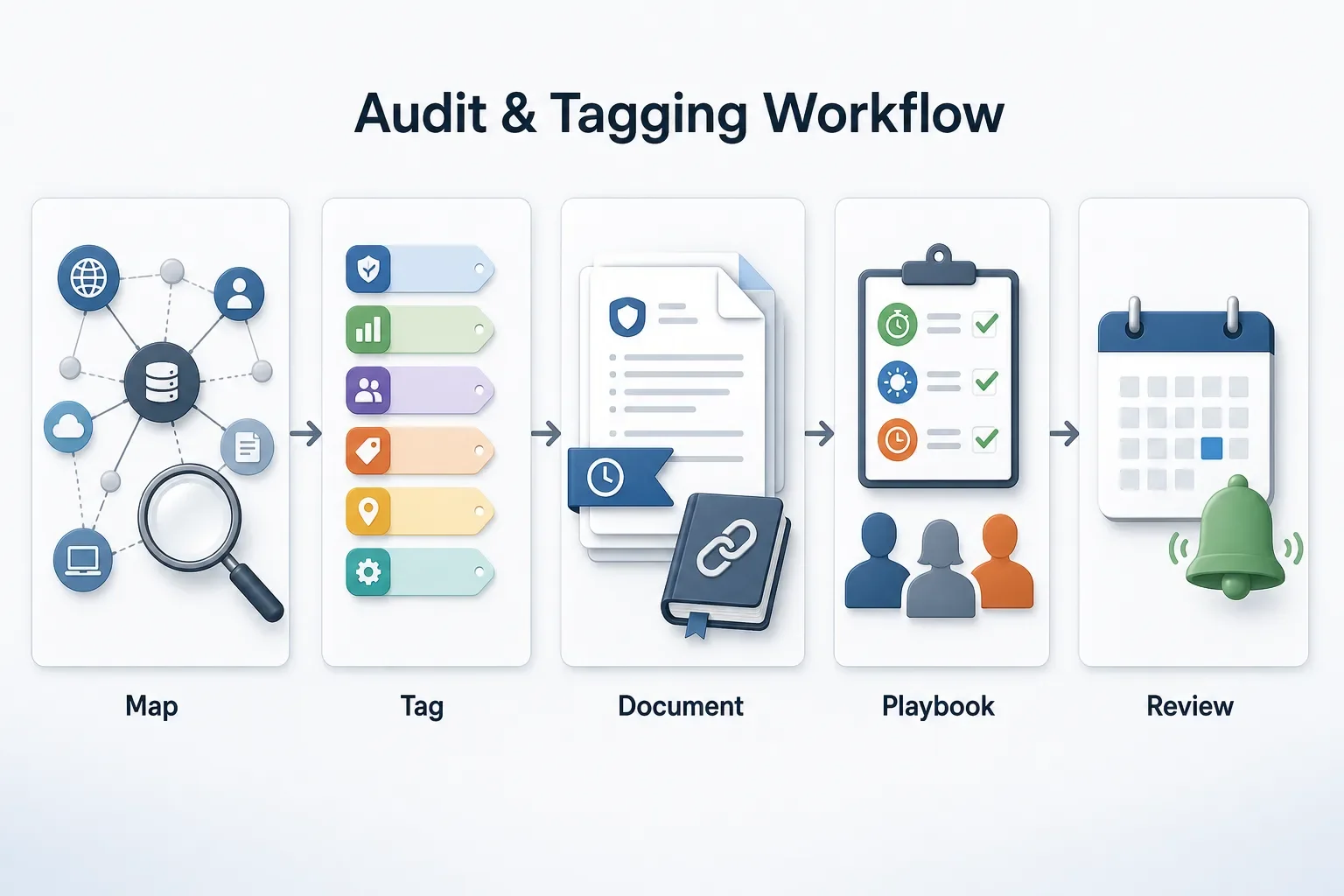
Practical, step‑by‑step workflow to map DeFi protocol touchpoints, tag regulatory exposure, preserve audit trails with documented rules and historical results, and prepare playbooks to respond quickly to enforcement events.